Loyalty points for walk-in clients
★★★★★4.8 on Trustpilot·11K+ barbers
Clients check in on the kiosk with their phone number. Their points show on the queue card, and the barber applies a reward at the chair in one tap.
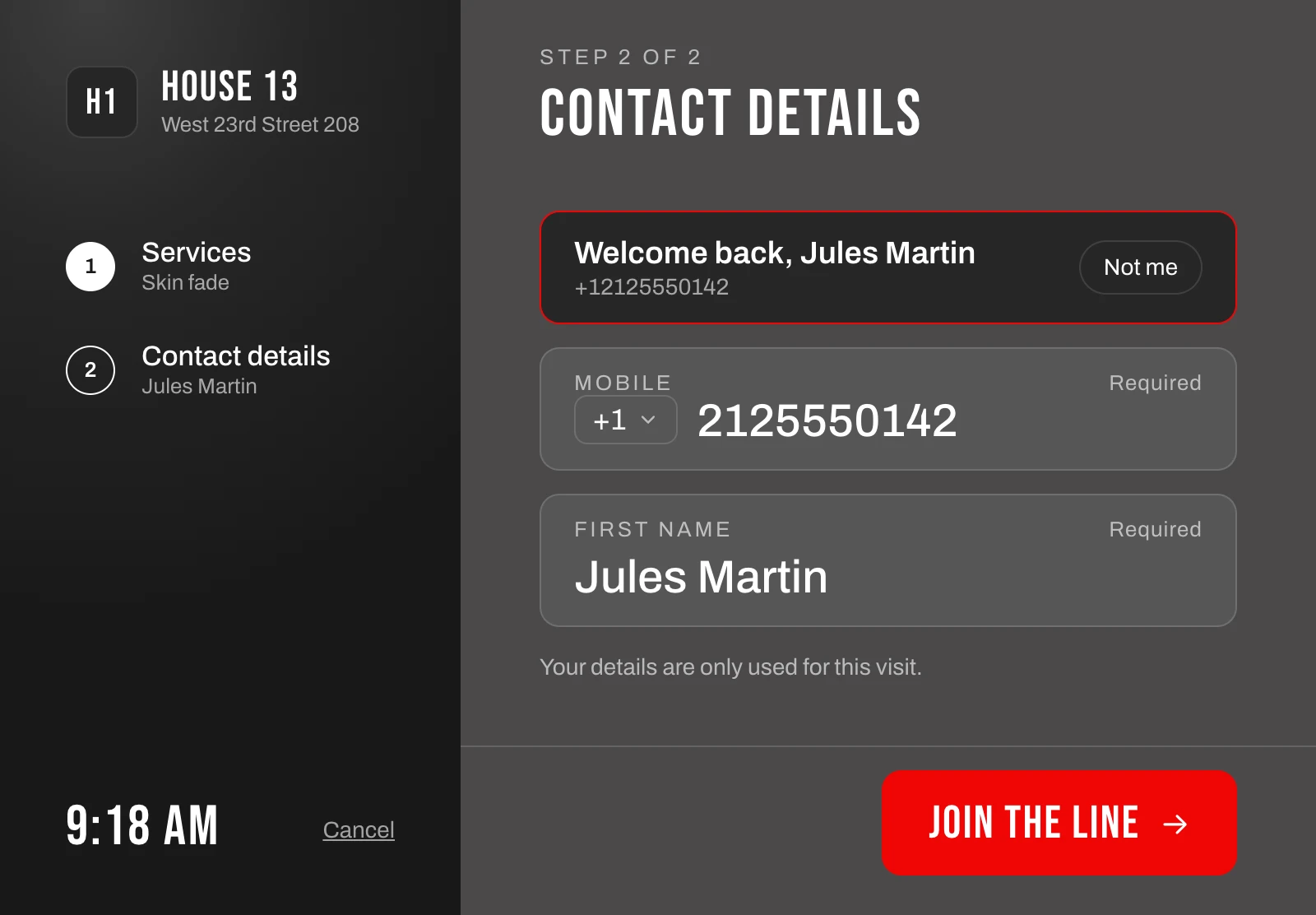
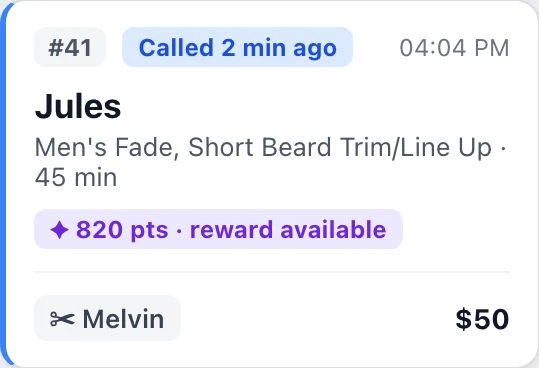
Clients check in on the kiosk with their phone number. Their points show on the queue card, and the barber applies a reward at the chair in one tap.
The kiosk finds the client as they type their mobile number, so the visit comes with their history and points.
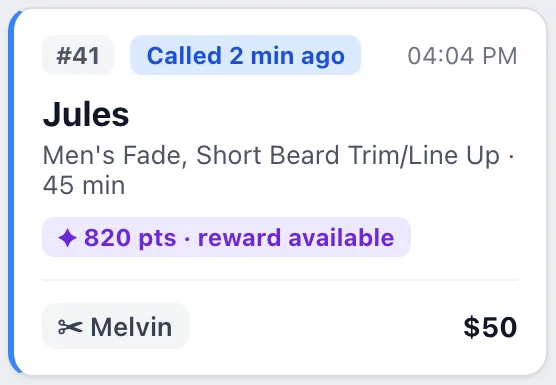
Each card shows the client's balance, and "reward available" when they have enough for one.
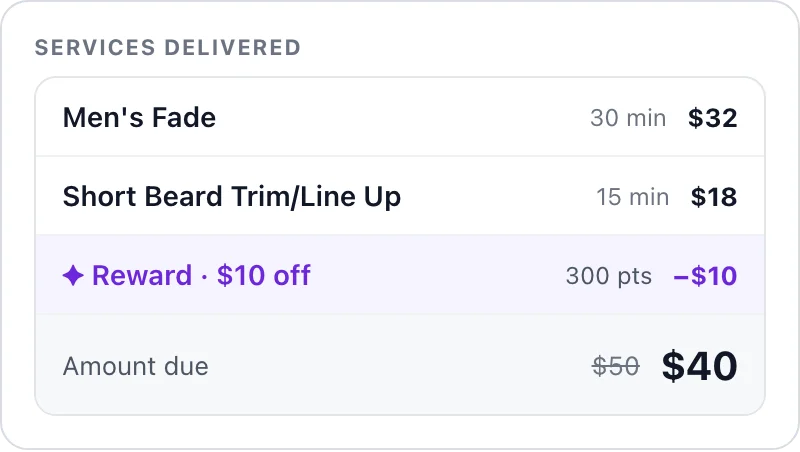
When service starts, the barber opens the client, picks a reward and the total updates.
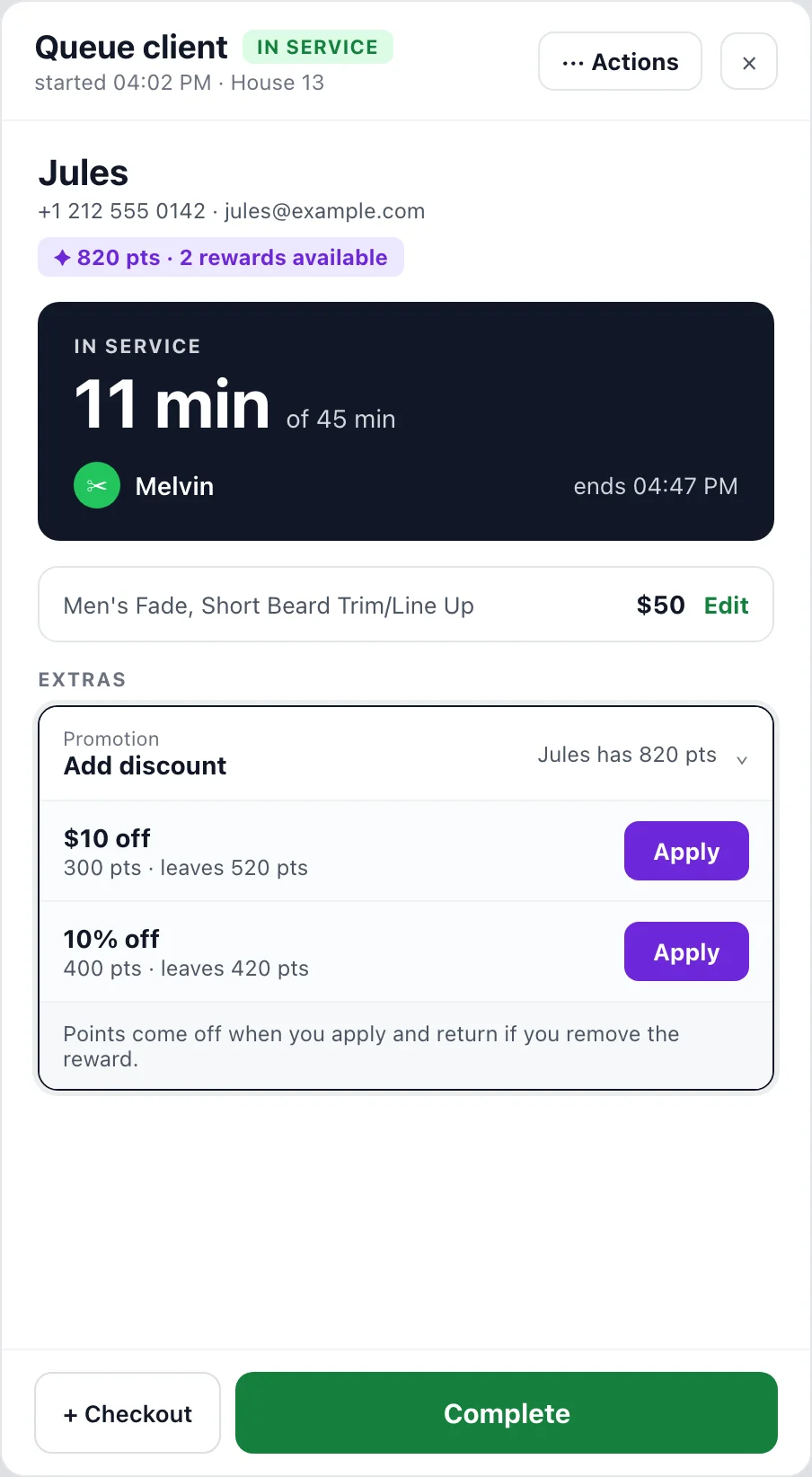
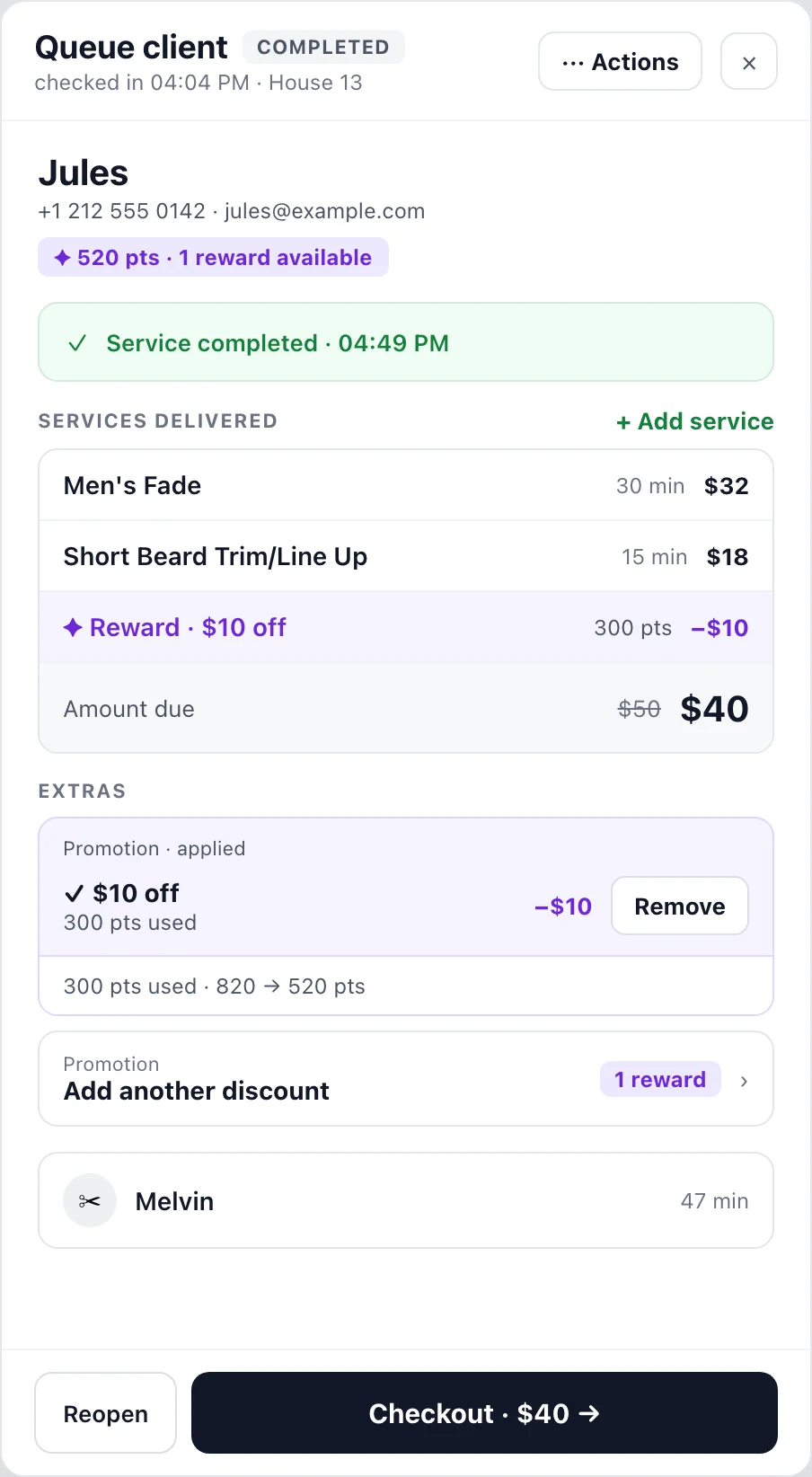
The client panel lists the rewards the client can use right now, with the points each one costs and what stays on the balance. Tap Apply and the reward becomes a line in the services. The old price is struck through and the points come off the balance.
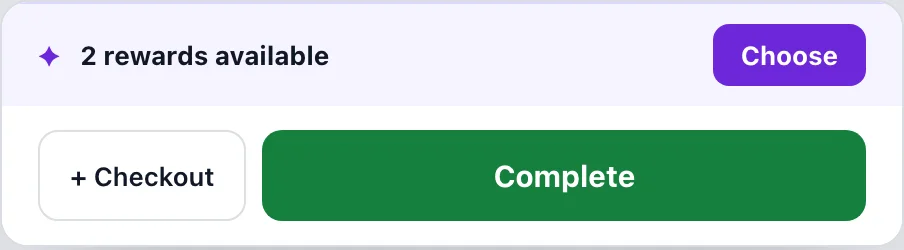
When a client has a reward they haven't used, a strip above the Complete button says so. Apply it from there, or choose from the list when there are several.
A paper card stays in a wallet, gets lost or is left at home. Here the phone number is the card.
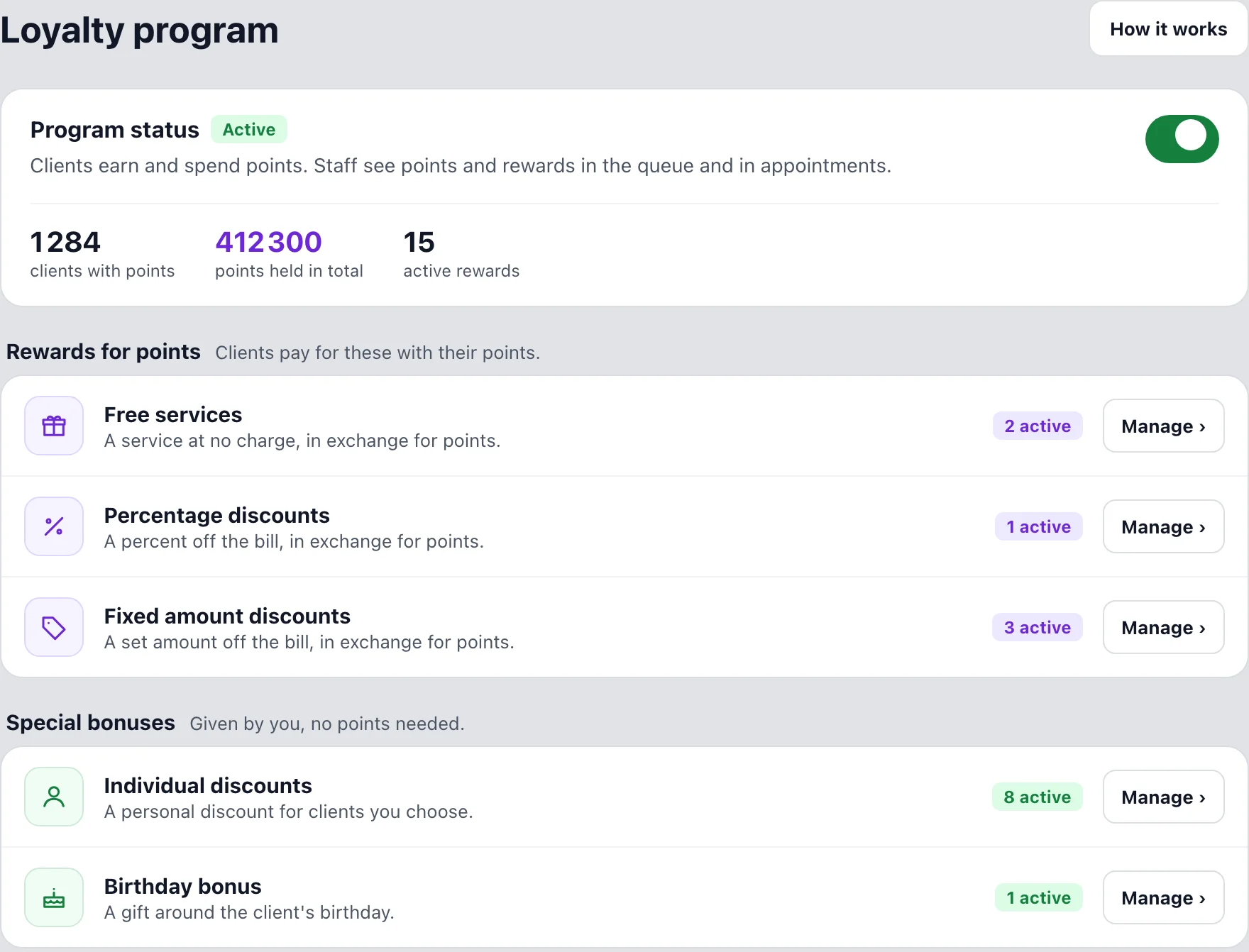
The Loyalty Program page shows whether the program is on, how many clients hold points and every reward type with a count. Turn the program on or off with one switch.
Compiled from the most common inquiries received by our support team
No. They type their mobile number on the kiosk and their points come with the visit. Clients who use your app or booking website see the same balance there.
They earn points on every visit, the same way as clients with appointments.
Free services, percentage discounts and fixed amount discounts that clients pay for with points, plus individual discounts and a birthday bonus that need no points.
Yes. Each client has one balance, and the appointment page shows points and rewards the same way as the queue.
The reward comes off and the points go back to the client. Apply it again if it should still count. Points also go back when a visit returns to waiting or is removed from the queue.
No. Loyalty is part of Barberly, together with the kiosk, the queue, appointments and payments.
The loyalty program, the kiosk and the walk-in queue come with every Barberly plan. Use the tablet you already have.
Access every Barberly feature free for 30 days. No credit card required.